

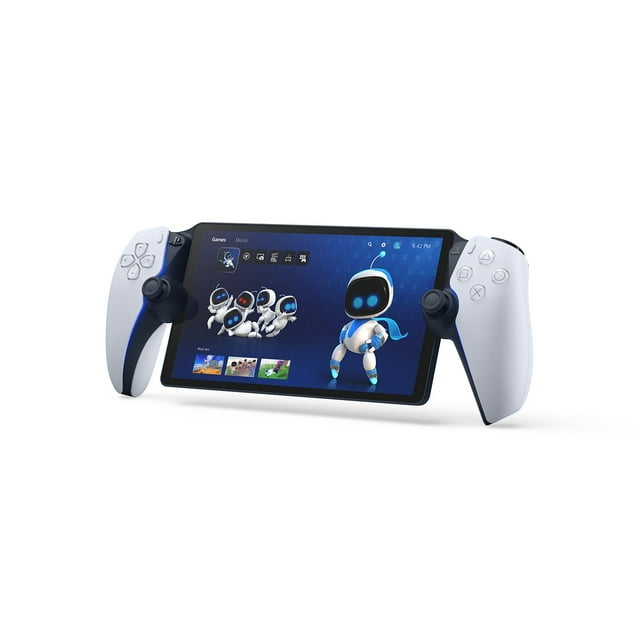
PlayStation Portal Remote Player for PS5 Console

Smart summary

No TV Required
Connects over your home Wi-Fi to play your installed PS5 games anywhere.Sharp HD Screen
The bright 8-inch LCD screen displays your games in full 1080p at 60fps.Feels Like DualSense
Haptic feedback and adaptive triggers for immersive gameplay.Get Gaming Fast
Turn it on and press one button to instantly connect to your PS5 console.No Downloads Required
Stream select games instantly with PlayStation Plus Premium.
Specifications
What's Included:
- PlayStation Portal™ Remote Player – White
- USB Cable
- Printed Materials
FAQ
Question: Can PlayStation Portal™ Remote Player only be played on my home Wi-Fi network?
Answer: While your home Wi-Fi network represents a great option to use PlayStation Portal™ Remote Player because you have control over the quality of your own home Wi-Fi, it is not required. PlayStation Portal™ Remote Player can also be played wherever you have access to broadband internet Wi-Fi with at least 5Mbps for use.1 For a better play experience, a high-speed connection of at least 15Mbps is recommended. If you are using public Wi-Fi, be aware that the quality of the internet connection may be out of your control and could impact the quality of your play experience.
Question: Is a PlayStation Plus membership required to use PlayStation Portal™ Remote Player and PlayStation® Remote Play?
Answer: No, using PlayStation Portal™ Remote Player and PlayStation® Remote Play does not require a PlayStation Plus membership.2 If you are using Remote Play to play a game that requires a PS Plus membership to access multiplayer, then you would need to have an active membership to access that game’s multiplayer features. You will need an active PlayStation®Plus Premium membership to access Cloud Streaming for PS5® Games on PlayStation Portal™ Remote Player5
Question: Can someone else use the TV my PS5 is connected to while I am using PlayStation Portal™ Remote Player?
Answer: Yes, they can. For example, someone else in your household could be watching a show or a movie on the TV while you use PlayStation Portal™ Remote Player to play your favorite compatible games on its gorgeous 8” HD screen.
Question: What audio devices work with the PlayStation™ Portal Remote Player?
Answer: You can connect audio devices that have a 3.5mm jack audio cable or feature PlayStation Link™ wireless technology – such as the PULSE Explore™ wireless earbuds and PULSE Elite™ wireless headset. You also have the option to listen to audio via the remote player’s built-in speakers, although 3D Audio isn’t supported.
Question: Where can I use the PlayStation Portal™ Remote Player?
Answer: While your home Wi-Fi network represents a great option to use PlayStation Portal™ Remote Player because you have control over the quality of your own home Wi-Fi, it is not required. PlayStation Portal™ Remote Player can also be played wherever you have access to broadband internet Wi-Fi with at least 5Mbps for use1. For a better play experience, a high-speed connection of at least 15Mbps is recommended. If you are using public Wi-Fi, be aware that the quality of the internet connection may be out of your control and could impact the quality of your play experience.
Question: Can the PlayStation Portal™ Remote Player be connected to public Wi-Fi networks?
Answer: PS Portal can connect to a range of public Wi-Fi networks, and those running system software version 3.0.1 or later can also connect to select Wi-Fi networks that require additional validation steps beyond entering the network password. Please note your smartphone or tablet will be required to complete these additional validation steps, and that before connecting to public Wi-Fi networks, you’ll need to have completed the initial PS Portal setup on your home Wi-Fi network.
